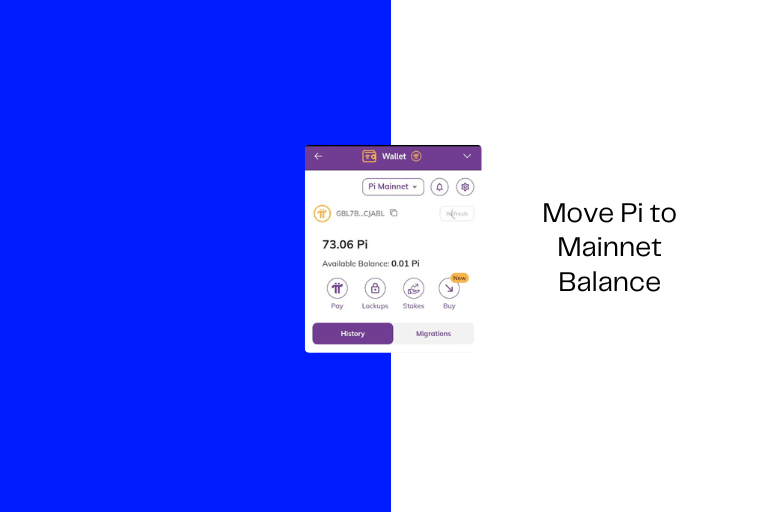
How to Move Pi to Available Mainnet Balance for the First Time
Many Pi users become confused when they see Pi in their wallet but cannot transfer, withdraw, or trade it because the Available Balance still shows zero.
Sometimes the wallet even displays 0.01 Pi only.
Now the big questions are, why is your Pi locked, why can’t you move it, why does the available balance show zero, is there a transaction fee attached to moving the Pi to the available balance, and how do I go about it?
Let’s break it down clearly.
What is the Available Balance in Pi Network?
Your Available Balance is the portion of your Pi that is:
- Fully unlocked
- Spendable
- Ready for transfers or transactions
It appears directly below your wallet balance.

Why is Pi Wallet Showing Zero?
Usually, this means your Pi has migrated to Mainnet but remains locked.

Balance Types Explained:
- Migrated Balance → Pi moved to Mainnet.
- Locked Balance → Temporarily frozen based on lockup settings.
- Available Balance → Ready to use or transfer.
Pi Available Balance Transaction Fee
Pi transactions require a small network fee — usually around 0.01 Pi.
You can receive this amount from:
- Trusted friends
- Referral team members
- Another migrated wallet.
- Contact fnfSwap support.
Available Balance vs Transferable Balance
Transferable Balance
Pi is eligible for migration to Mainnet.
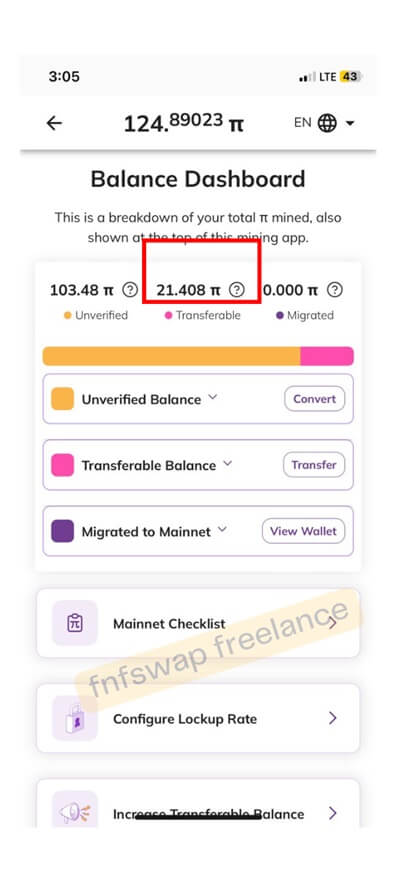
Available Balance
Unlocked Pi that can already be transferred, traded, or used.
How to Move Pi from App Wallet to Available Balance: Step-by-Step
You can only do this if you are using the correct wallet. Should you log in and see that it says “login to the first wallet,” then know that it is the wrong wallet.

Step 1: Open Pi Browser
Launch Pi Browser and open your Mainnet wallet. You should see the Locked balance and Unlocked balance.
Step 2: Check if Your Pi is Locked
Only Pi with the unlocked padlock icon can be moved. Locked balances cannot be transferred until the lockup expires.

Step 3: Complete the Transfer
- Tap the unlocked balance
- Select Move
- Confirm the transaction.
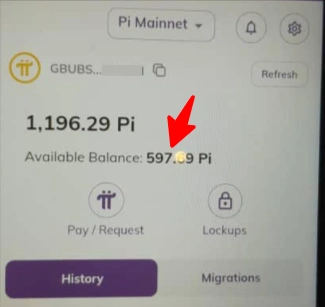
After confirmation, the unlocked Pi should move into your available Balance instantly. That’s all.
P.S: You can’t move to the Mainnet balance because of Transaction Fees?
One of the biggest issues reported online is “I cannot move my Pi because I have 0.00 Pi available, and it requires a 0.01 Pi fee”.
Yes, you need to receive 0.01 Pi from another migrated wallet to move it successfully.
5 Reasons Why Your PI Is NOT Moving to Available Balance
1. Your Pi Is Still Locked
If you locked your Pi for 1 year, 2 years, 3 years, or 90–100% lockup. It remains inaccessible until the timer expires.
Even though you can change the lockup time, the first lock time period must run out before the next configuration takes effect.
Should you want to reconfigure the lockup to enable mobility to the main balance, then go to your wallet > to settings > to lockups and do that.

All in all, if the Pi is locked forward, then the Pi remains inaccessible until the timer finishes.
2. Your KYC is Incomplete
Without full KYC approval, migration cannot be completed properly.
Having issues with KYC? Here is the ultimate guide and solutions.
3. Security Circle Members Haven’t Completed KYC
Some rewards remain unverified until referral or security circle members complete KYC.
4. Migration Queue Delays
Migration can sometimes take weeks or months due to a queue backlog, wallet sync delays, or system processing issues.
5. Wrong Wallet Imported
If you imported the wrong wallet or created a new wallet after losing your original passphrase, your migrated Pi may not appear.
5 Tips to Move Pi to Available Balance Faster
- Keep at least 0.01 Pi available for fees
- Avoid locking 100% of your Pi
- Double-check unlock dates carefully
- Never share wallet passphrases
- Ignore fake unlock services.
Final Thoughts
Most Pi KYC and Available Balance problems are caused by:
- Lockup misunderstandings
- Incomplete KYC
- Migration delays
- Wallet synchronization problems
- Missing transaction fees
The biggest mistake many users make is locking 100% of their Pi without realizing they will have no immediately usable balance afterward.
The safest approach is to:
- Complete KYC properly
- Secure your wallet passphrase
- Verify unlock dates carefully
- Stay patient during migration delays
- Ignore scammers promising fast approval or unlock services
Pi is still evolving, and many migration processes are still partially automated and partially manual.
For now, patience and proper account management remain the best solution.