Pi Network Second Migration. How to Qualify and Migrate
If you’ve been active in any Pi community lately, on a Telegram group, Facebook Pioneer circle, or just browsing Twitter/X, you’ve probably come across the words “second migration” floating around a lot.
Even one of our clients asked me on Saturday.

Yeah, while some people are excited, others are confused, and the other group is frustrated that they’re still waiting.
And if you’re honest, you might have nodded along without fully understanding what the second migration is. That shouldn’t be an issue again because it’s almost the same as the first migration.
However, with the second migration, you will learn the real requirements to qualify, why some Pioneers are getting blocked, and, once your Pi lands on Mainnet, how to convert it to USDT [for foreigners] or to Naira if you’re from Nigeria through fnfSwap Freelance.
Let’s start from the beginning.
First, a Quick Recap: What Was the First Migration?
When Pi Network opened its Open Network on February 20, 2025, it was a huge deal. For years, Pioneer coins existed only inside Pi’s closed environment. Meaning, you could see your balance, but those coins couldn’t move anywhere outside the app.
The first migration changed that. Pioneers who had passed KYC were able to move their first batch of transferable Pi from that closed environment onto the actual Pi Mainnet blockchain, making those coins real, on-chain, and transferable for the first time.
That’s the first migration. It was a one-time move for each Pioneer’s initial transferable balance.
But here’s the thing, not all the Pi could move in that first wave.
Therefore, your mining rewards, referral bonuses, and balances were tied to your referral team’s verification status. That’s exactly what the second migration addresses.
So, what is the second migration?
The second migration is Pi Network’s next rollout phase, officially announced on Pi Day 2026 (March 14, 2026) and actively rolling out since mid-March.
In simple terms: if you’ve already done your first migration, the second migration allows you to bring additional Pi balances onto Mainnet. This includes:
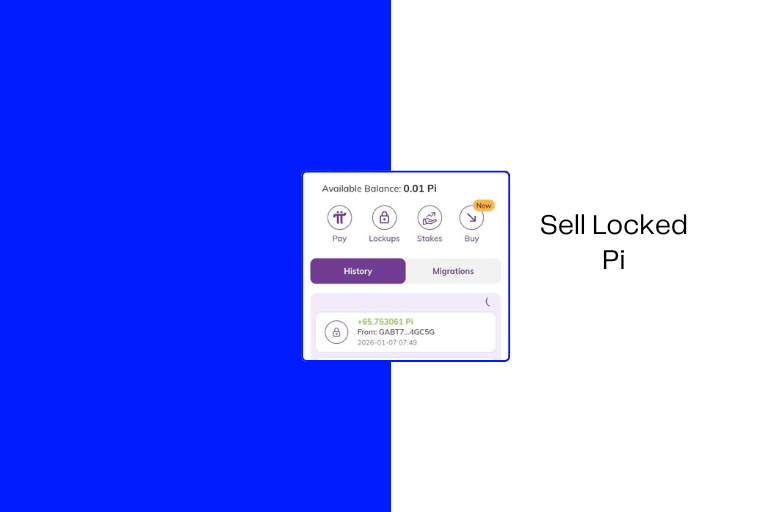
- Remaining transferable balances – that weren’t included in the first migration
- Referral mining bonuses – the Pi you earned by inviting people to join and mine
That second point is where it gets interesting for many Pioneers. How?
Many people built their referral teams during Pi’s early years and accumulated significant bonus Pi from their teams’ mining activity.
Until now, those rewards have sat off-chain. The second migration is the path to getting them on the Mainnet, where they can actually be used, withdrawn, or sold for cash.
As of May 2026, over 119,000 Pioneers have already completed second migrations. And if it has not reached you yet, just know that the rollout is gradual by design.
So, Pi Network is processing accounts in batches to keep the network stable.
Also, the first migrations are still running concurrently. If you haven’t done your first migration yet, that process continues normally.
That is, the second migration doesn’t replace the first, nor does it make it stop. Hope you understand now.
The Referral Bonus Rule (Read This Carefully)
This is the part of the second migration that’s confusing most people, because I have seen people complain that some of their Pi shows as unverified.

Now, your referral mining bonuses only migrate if the people on your referral team have fully completed KYC. Not partially done. Not pending. Fully verified.
Therefore, if you referred 50 people but only 20 of them completed KYC, only the bonus Pi tied to those 20 verified referrals will migrate. The rest stays locked until (or unless) those team members finish their own verification.
What can you do to get all the bonuses? The practical step is to reach out to your referral team right now. Message them. Remind them to complete KYC. Their verification directly affects your wallet. This is one of those situations where you genuinely have something to gain by following up.
Unverified Pi Balance – is it wasted?
Just as explained above. An unverified balance is an estimated amount you have mined thanks to your crypto referral team and security circle.
These bonus rewards are calculated and become transferable to the mainnet as your referral team verifies their KYC and migrates to the mainnet.
Note: If your referral team, or security circle, missed out on the grace period, you will have to forfeit all the corresponding bonus mobile balance from the ref contributions.
In short, you will miss all the bonuses. However, you still have time if your team has not missed out on the grace period deadline.
How to Qualify for the Second Migration
Here are the requirements.
1. Fully Approved KYC (Not “Tentative”)
This is non-negotiable. Your KYC status inside the Pi app must be all GREEN – fully approved.
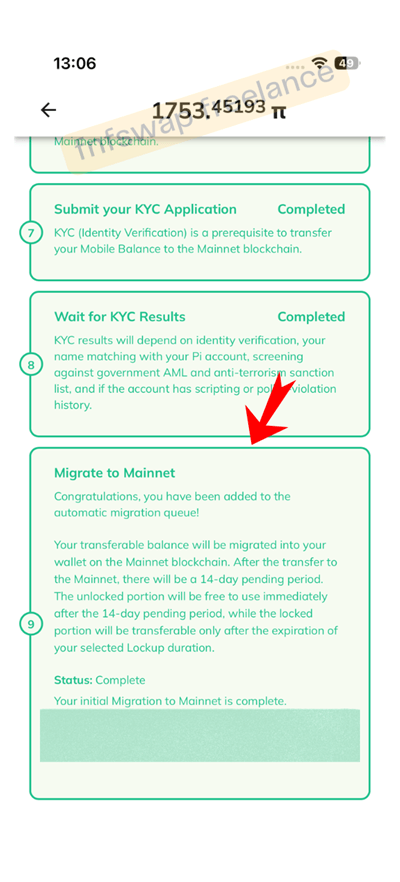
Here’s something that’s caused a lot of confusion in the community: Pi Network clarified specifically that users with tentative KYC status cannot receive second migrations, even if they completed their first migration when their KYC was previously green.
A Pi Network moderator put it plainly: “With tentative status, they can’t receive new migrations even if they had received the first migration when their KYC was previously Green. A tentative status means no migration anymore till you are back to green.”
Tentative KYC is a limbo state – it means that the system recognized your verification attempt but didn’t complete it fully.
It’s not a rejection, but it blocks migration just as effectively. If this is your situation, you’ll need to resolve it before the second migration can proceed for you.
Common causes of tentative status include mismatched documents, poor photo quality during the original submission, or syncing errors in the system. Check the Pi app’s KYC section for any prompts or actions required.
2. Complete the Mainnet Checklist
Inside the Pi app, there’s a Mainnet Checklist. Every item on it needs to be completed before migration eligibility kicks in.
If you’re unsure where to find it, open the Pi app → go to the Mainnet section → look for the checklist.

3. Enable 2FA on Your Pi Wallet (This Is Mandatory – No Exceptions)
This is the big one that many Pioneers are still missing.
Two-factor authentication (2FA) on your Pi Wallet is now a hard requirement for both first and second migrations. You set it up through Step 3 of the Mainnet Checklist.
If you used a valid email address, the process will be easy; otherwise, you’ll need to add a trusted email address to your account if you haven’t already.
When you do, that email becomes part of the 2FA verification process.
You might ask, why is this required?
The answer is because Pi is being very serious about one thing: blockchain transactions are permanent.
That is, once Pi moves, there’s no reversal, no “I accidentally sent it wrong” recovery, no support ticket that gets your coins back.
With 2FA, it certifies that only the actual account owner can authorize an irreversible transaction – transfers or withdrawals.
All in all, if you haven’t set up 2FA yet, you might need to stop reading this, go do it right now, and come back after.
Why Hasn’t My Second Migration Appeared Yet?
This is the most common question in Pi communities right now, and there are a few possible answers:
1. You’re still in the queue.
If you’ve met all requirements, yet there is no second migration, then the only factor is that you’re still in the queue.
Remember that I said the rollout is gradual. Pi processes accounts in batches.
So, meeting the requirements gets you eligible, and it doesn’t guarantee instant second migration. It is right to say that Patience will be required, not optional.
2. Your KYC is tentative, not green.
As explained above, tentative status blocks migration. Check your app.
- Your 2FA isn’t set up. Double-check Step 3 of the Mainnet Checklist. Some Pioneers think they’ve done it and haven’t completed the flow.
- Your Mainnet Checklist has uncompleted items. Go through the checklist carefully. One missed step can hold up the whole migration.
- Your first migration isn’t done yet. Second migrations are for Pioneers who have already completed their first. If your first migration is still pending, focus on qualifying for that first.
Community Frustrations with Second Migration
Truth is that the Pi community is not all sunshine and optimism right now.
Scrolling through comments under Pi Network’s official X posts since Pi Day 2026, there’s a loud thread of frustration.
People are complaining that 119,000 sounds like a tiny number compared to the millions of Pioneers globally.
Others say they completed 2FA over a year ago and still have nothing to show for it. Some say coins were migrated and then returned with no explanation. A few have given up on the project entirely.
This is the reality of a large-scale blockchain rollout. Reconciling years of mining data, referral structures, and bonus calculations across tens of millions of accounts is genuinely complex.
It doesn’t make the wait less frustrating, but it does explain why it’s happening in stages rather than all at once.
The important thing: if your requirements are met, you’re in the queue.
Just keep your app updated, keep your KYC green, and keep your 2FA active. There’s nothing more to “apply” for – eligibility is checked automatically by the system.
What to Do When Your Pi Is on Mainnet
Once your second migration goes through and your Pi is sitting in your Mainnet wallet with a transferable balance, the next natural question is: what do I actually do with it?
Selling it for USDT is the most common goal. And the cleanest way to do that – especially if you don’t want to navigate multiple exchange accounts or online scams – is through fnfSwap Freelance.
Selling Your Migrated Pi Through fnfSwap Freelance
fnfSwap is a digital currency conversion service that converts Pi to USDT for clients across Africa, the USA, UK, Canada, and beyond. They’ve handled transactions for Pioneers in Nigeria, South Africa, Pakistan, Singapore, and more – with documented proofs on their site.
Here’s the process in plain terms:
Step 1. Confirm Your Balance Is transferable
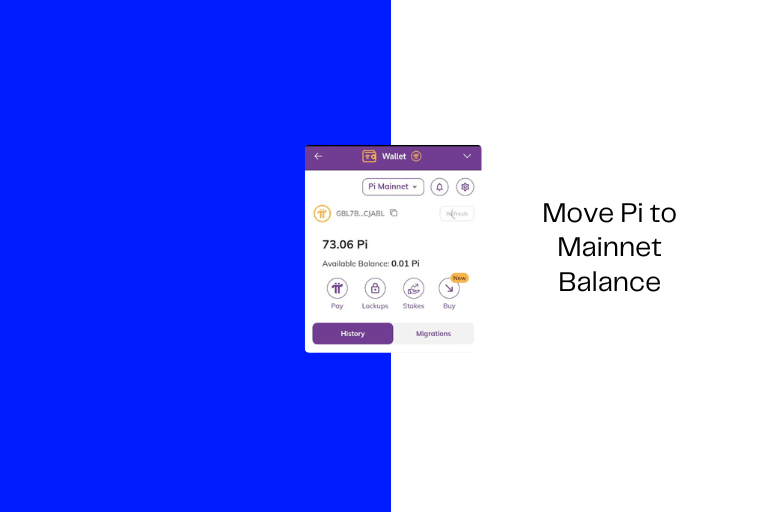
First, confirm that your Pi is unlocked and in the Mainnet balance.
Step 2. Reach Out to fnfSwap
Contact fnfSwap Freelance and ask for the current Pi for cash rate.
As you know, rates follow the market and shift regularly, so this conversation needs to happen close to when you want to transact.
“Upon agreeing to the rate, please provide your bank account details for fiat settlement, or your USDT wallet address for cryptocurrency payments.”
Step 3. Send the Pi
fnfSwap gives you a Pi wallet address to send your coins to. And after sending, forward your transaction confirmation to fnfSwap. This kicks off the payment process.
Step 6. Receive Your USDT or Fiat
Once the blockchain confirms your Pi transfer, fnfSwap will facilitate the transaction and send the agreed USDT amount to your USDT wallet, or equivalent Naira to your Nigerian bank.
Minimum sell volume: 200 Pi tokens for USDT. 20 for Naira Fiat
How to Send Pi from Your Wallet (Quick Steps)
If you’re not sure how to transfer Pi out of your wallet, here’s how it works:
- Open the Pi Browser on your phone.
- Go to your Pi Wallet.
- Tap “Pay.”
- Click “Manually Add Wallet Address.”
- Enter the recipient’s Pi wallet address (provided by fnfSwap)
- Enter the amount you want to send.
- Confirm and authorize the transaction.
Double-check the wallet address before hitting confirm. Pi transactions cannot be reversed once sent – [see video attachment for help].