How to Transfer Funds from Card to Card with UBA Dollar AfriCard
What is Card-to-Card Transfer?
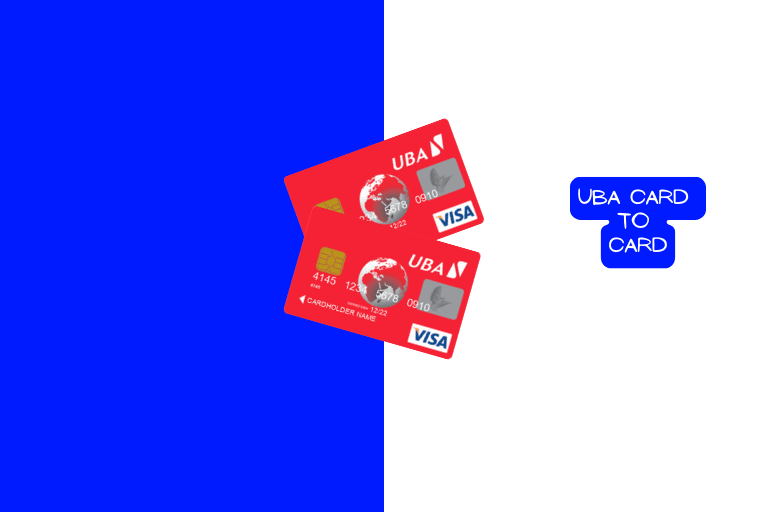
The UBA prepaid card web portal (sometimes called the GTPSecureCard or AfriCard portal) allows users to move funds from their card balance directly to another UBA prepaid cardholder’s balance.
It’s essentially an internal transfer system between AfriCard users.
This is different from transferring between your card and your UBA domiciliary account. That’s a separate process done via internet banking or at the branch. Card-to-card transfer is specifically card-balance-to-card-balance.
Important Limits to Know First
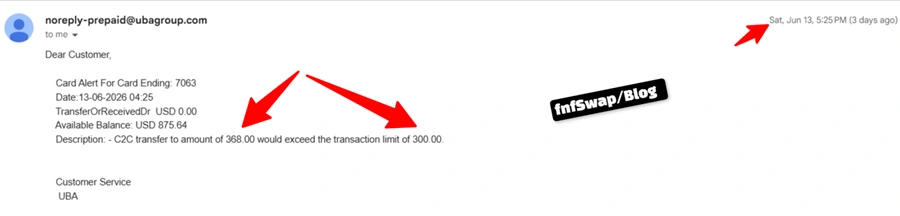
Before anything else: card-to-card transfers are capped at $300 per transaction/per. Should you need to move a larger amount, you’ll need to split it into multiple transfers.
That is to say, if you want to send $1,000, you’ll need to break it down into 4 times ($300, $300, $300, $300, $100).
But what happens if you send more than $300 at a time?
You will get a failed transaction every time, unless you reduce it to $1 TO $300.
Step-by-Step: How to Do a Card-to-Card Transfer
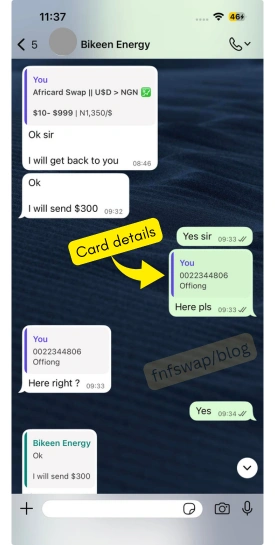
Step 1: Get the recipient client ID
Get the card details of the recipient – the client ID and last name.
Step 2: Log In to Your AfriCard Portal
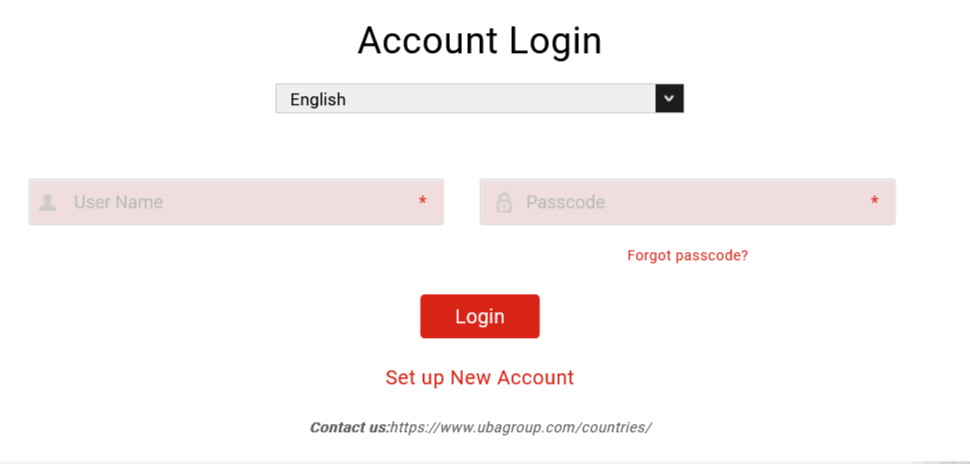
Visit the UBA prepaid card portal at gtpsecurecard.com/UBA/Login and log in with the username and passcode you created during your card’s online registration.
Step 3: Navigate to “Card to Card Transfer
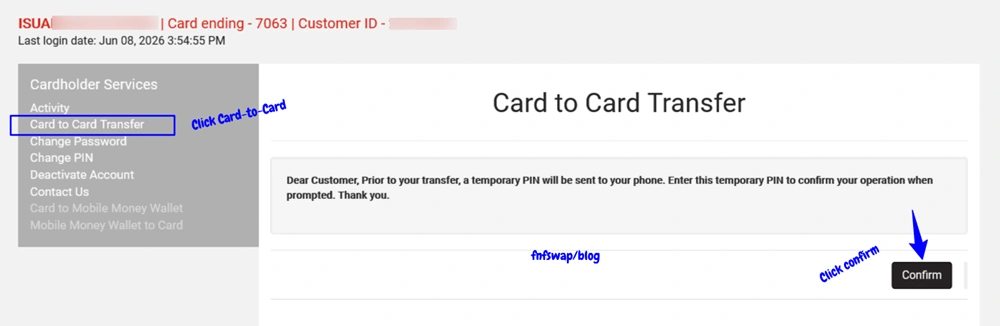
On the dashboard, look for the menu on mobile; this is usually in the top-right corner, and on desktop, in the top-left. Select “Card to Card Transfer” from the menu options.
Step 4: Enter the Recipient’s Card Details
You’ll need the recipient’s card number (and possibly their name, depending on how the portal validates it) to direct the transfer correctly.
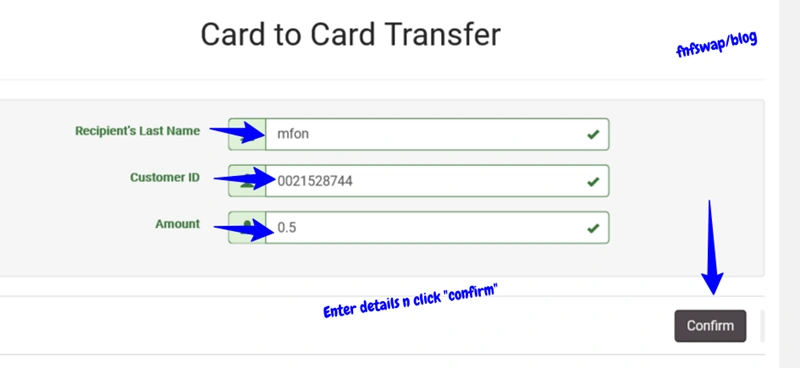
Enter the amount you wish to send from $ 1 to $ 300. Remember the $300 per-transaction cap. When done, enter an amount within this limit.
Step 5: Confirm With the Transfer Code
UBA will send a one-time transfer code to your registered phone number. Enter this code on the portal to authorize and complete the transfer.
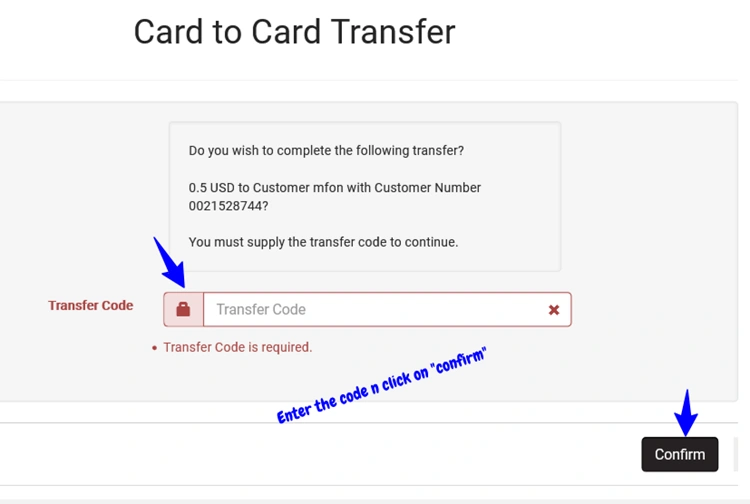
Step 7: Check for Confirmation
Once completed, you should receive an email or SMS notification confirming the transfer, including the amount, recipient details, and timestamp.
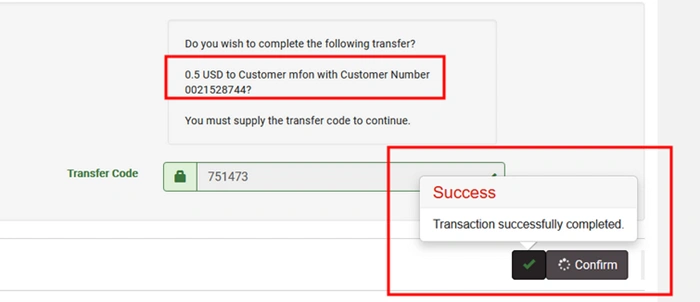
How to Get Money to Bank for Selling UBA Africard Funds
These are the exact steps to selling your prepaid card for Money. The only difference is the card details.
For instance, if you were selling the funds to fnfSwap freelance, you would be issued with our client ID details to send the money.
From then on, you receive the money in your bank. That is all.
Step 1. Reach out to fnfSwap & Select to sell UBA Dollar Card
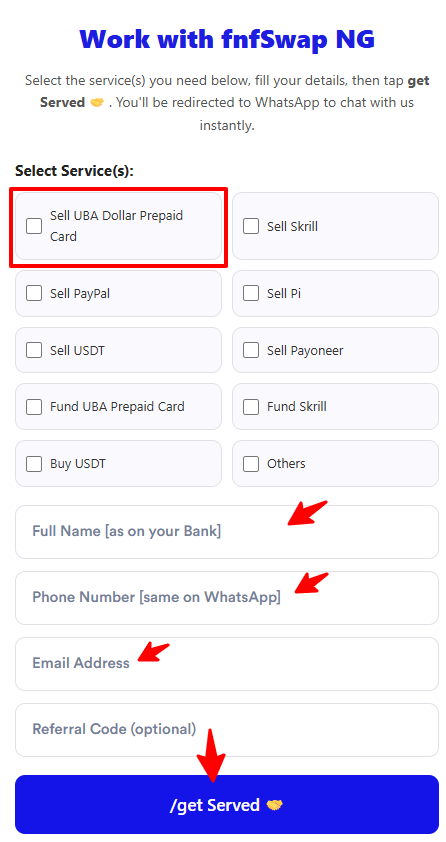
Step 2. Approve the exchange rate
[fnfSwap will relate the current rate to you, and if you are good, you move on].
Step 3. Transfer to the Card Given & send payment proof
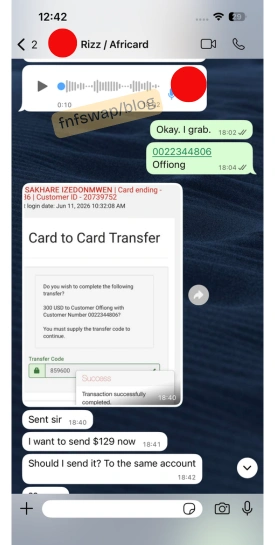
Step 4. Receive Naira.
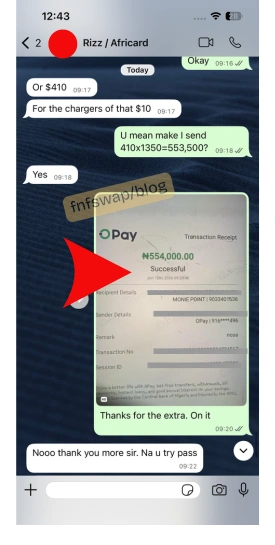
Ready to SELL AfriCard for Naira? Click here to get started.
What Does the Recipient See?
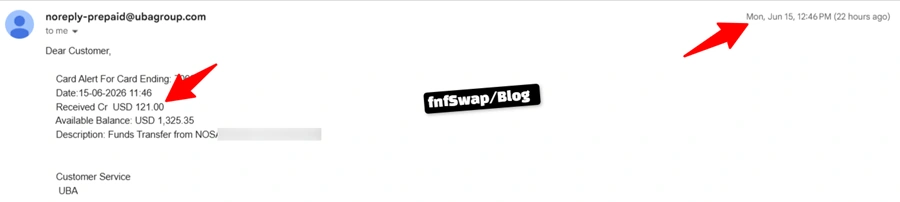
When funds arrive via card-to-card transfer, the recipient typically gets an SMS or email notification describing it as “Funds Transfer” from the sender’s name.
For example, a notification might read something like “Funds Transfer from [Sender Name],” along with the amount and time. The funds reflect on their card balance almost instantly.
Common Use Cases for Card-to-Card Transfer
1. Receiving Funds from a Trusted Exchange Service
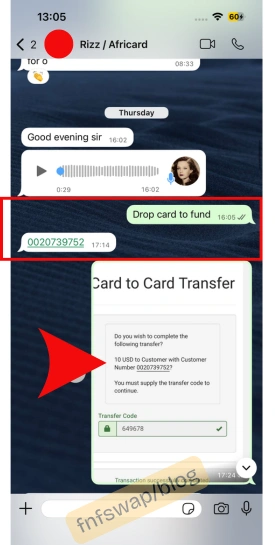
If you’re using a peer-assisted exchange platform like fnfSwap freelance to convert PayPal, USDT, or other digital balances into your AfriCard, card-to-card transfer is often the mechanism used to move the dollar directly to your card – making it one of the fastest ways to get funds onto your card without a bank visit.
2. Splitting Funds Between Your Own Multiple Cards
If you hold more than one AfriCard (for different purposes, say, one for business spending and one for personal use), this feature lets you redistribute balances between them.
3. Sending Money to Family or Associates with AfriCards
If someone you know also has a UBA AfriCard, this is a quick way to send them dollar value directly – useful for splitting payments, reimbursements, or shared subscriptions.
4. Keep or save the USD Balance
You do not need a domiciliary account when you can easily store/hold money in your UBA Dollar prepaid card via the card-to-card transfer; after all, what’s the difference since both are in USD?
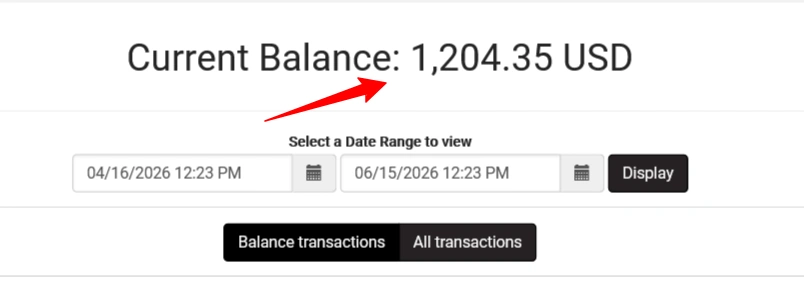
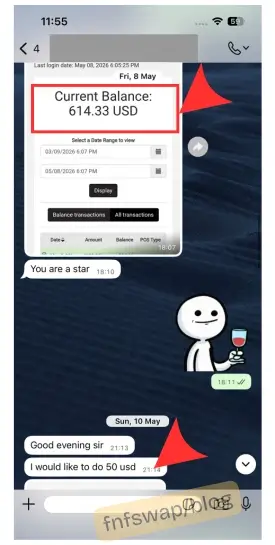
Like some of our clients, when they withdraw from PayPal, they expend what they need at the moment while saving a balance for online purchases or future withdrawal for Naira.
5. Download Card Statement for online verification
You can download the card statement on your card portal account and provide on PayPal for verification when asked to lift limits on your account.
Why does this work?
Because PayPal wants to confirm your addresses. They want to confirm if the same address on your account appears on your card statement.
To get the card statement, log in, look down, and click on download – choose CSV or PDF.
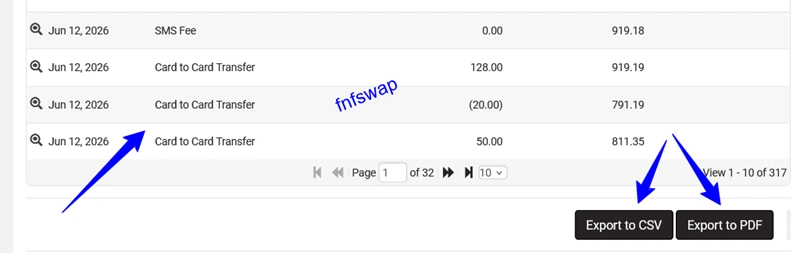
Then upload to PayPal for the verification process. This works on other payment platforms apart from PayPal.
Troubleshooting Card-to-Card Common Errors
I don’t see the Card-to-Card Transfer option on my portal
It often happens, and it usually means the website did not load well. What to do is refresh the page and re-login, and it will show.
I entered the transfer code, but it failed
First off, transfer codes are time-sensitive. If too much time passes between receiving the code and entering it, the session may expire. Restart the transfer process to get a fresh code.
Also, if you enter the wrong code, it will show “failed”.
Login showed Invalid Login Information
If you entered the correct login information – both username and password [passcode] are correct, and it shows “invalid login information”, two things are involved: #1. Human error and #2. UBA network error.
First Case – if the Error is from UBA
If you entered the correct login information – both username and password [passcode] are correct, and it shows “invalid login information”, the error is from the UBA network, and not you.
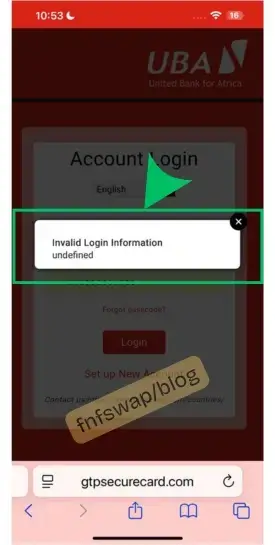
What to do is to leave it for about 1 hour and try again. If it persists, then leave it for 24 hours.
What to note is that #1. It might be a general occurrence and #2. It might be your card only. All in all, it is from UBA.
Second Case – if the Error is from UBA
If you enter both the username and password [passcode] and it shows “invalid login information” – with a pop-up message saying “after 5 failed logins, your account will be locked” – then know that either your username or passcode is incorrect.
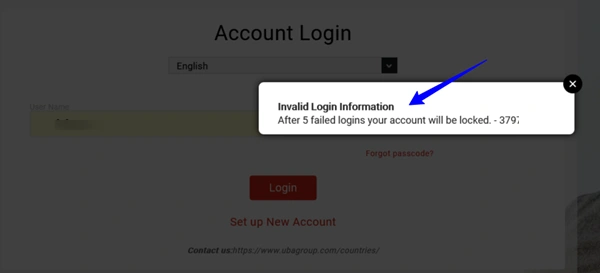
What to do is enter the correct login details, and you will have access to the platform.
Otherwise, if you continue trying to log in with the wrong details, your account will be locked, and you may need to go to the bank to get it resolved.
The recipient says they haven’t received the funds
Card-to-card transfers reflect instantly. If there is a complaint, then log in to the portal and confirm it – than waiting for SMS or email notification.
How to check my UBA Prepaid card balance online
- Log in to gtpsecurecard.com/UBA
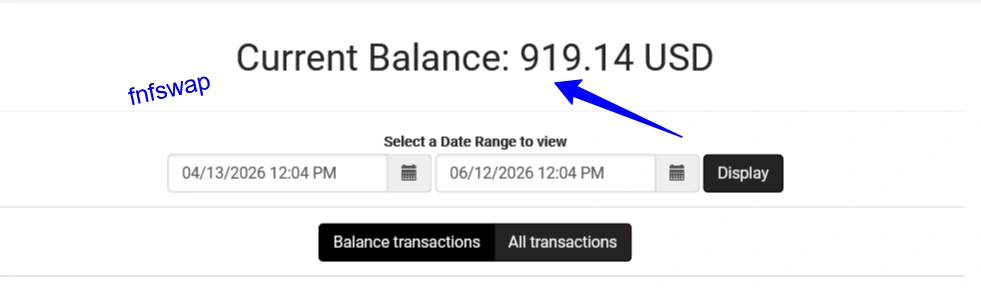
- Check the dashboard, and you will see your balance.