how to activate uba dollar prepaid card

UBA Dollar Prepaid Card Activation & Setup Online 2026

Have you tried linking your card to PayPal, and it showed declined or not working? It is possible that after you collected the UBA Dollar Prepaid Card from the branch, you loaded it and just went on to use it like that.

Well, a lot of people get stuck right here, wondering why their card “isn’t working” when really it just hasn’t been activated yet.

In this guide, I’ll walk you through exactly how to activate it, both at the ATM and if online activation is possible, plus what to do if you run into common issues.

Before You Start: What You Need

Make sure you have these three things ready:

  1. Your physical UBA Dollar Prepaid Card – freshly issued, with the dollar symbol on it.
  2. Your default PIN(s) from the PIN mailer attached to the card (usually two PINs – one for ATM use, one for the web portal).
  3. Some funds loaded onto the card – most UBA prepaid cards need at least $10 before the activation process completes properly.

If you haven’t funded the card yet, do that first. You can fund it by transferring from your UBA domiciliary account via internet banking, visiting a branch, or converting digital earnings (like PayPal or USDT balances) through a trusted exchange service like fnfSwap Freelance into your card.

How to Activate Your UBA Dollar Prepaid Card in Nigeria

There are 2 ways to do it. Either using the ATM or the POS at the bank. And the last is registering on the online portal to conduct transactions using the card. I will walk you through all of them.

Method 1: Activate at a UBA ATM (Recommended)

This is the fastest and most reliable way to activate your card.

Step 1: Locate the nearest UBA ATM. It doesn’t have to be the branch where you collected the card.

Step 2: For personalized cards – Before inserting your card, confirm your name is spelled correctly on the front. If there’s an error, go back to the branch first rather than activating.

For instant UBA prepaid cards – which I believe is what you have – your name does not need to be on the card.

Here is the difference between UBA Instant Prepaid Cards and Personalized Prepaid Cards.

Step 3: Insert your card into the ATM card slot.

Step 4: When prompted, enter the default ATM PIN from your PIN mailer (this is typically the first of the two PINs provided).

Step 5: Select the “Change PIN” option from the menu.

Step 6: Enter your new PIN – choose something memorable but not easy for others to guess (avoid birthdays or repeated digits).

Step 7: Confirm the new PIN when prompted.

Once this is done, your card is activated for ATM and POS use. You should be able to withdraw or make purchases immediately, depending on your card balance.

Also: Does UBA Prepaid Card Work on PayPal

Step 1. Ask for or locate a POS machine over the counter in the bank.

Step 2. Insert your card and enter the β€œChange PIN” when prompted.

Step 3. Enter your new β€œPIN”.

Step 4. Confirm the PIN.

When done, you are good to use your card – as it is fully activated.Β 

Does the UBA Prepaid card online activation work?

No, you cannot activate the UBA Prepaid card online. It has to be offline – using the ATM or POS at the bank.

Whatever we do online is not activation – but rather validating and registering to access the card web portal for online card-to-card transactions via (gtpsecurecard).

So, the real card activation is OFFLINE.

Also: How to withdraw Money from a UBA Dollar Prepaid Card to a bank in Minutes

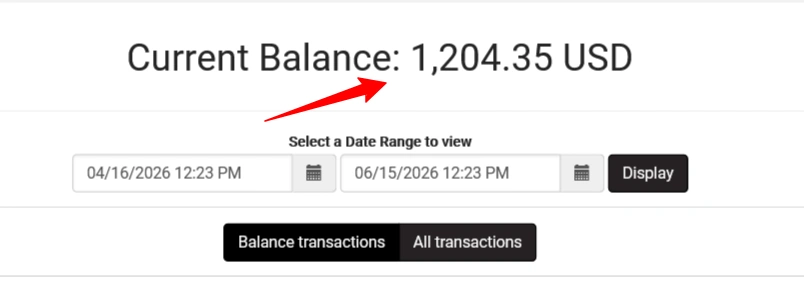
Your second PIN – the web portal code is used to grant online access to your card via the UBA card web portal login (gtpsecurecard/uba) – pls; this is not called activation.

With the UBA card web portal login (gtpsecurecard), you can transfer funds from your card to another for withdrawals or save your USD balance.
UBA dollar africard doc

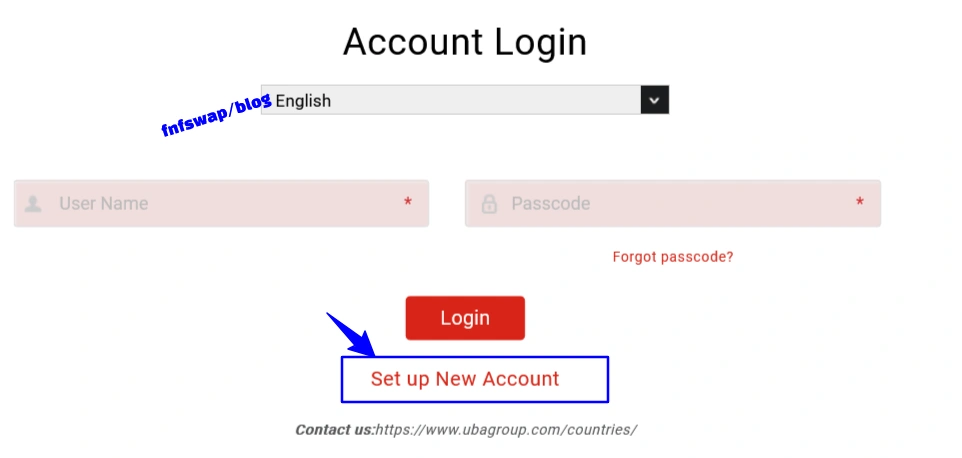
Step 1: Visit the UBA prepaid card portal (gtpsecurecard.com/UBA/)
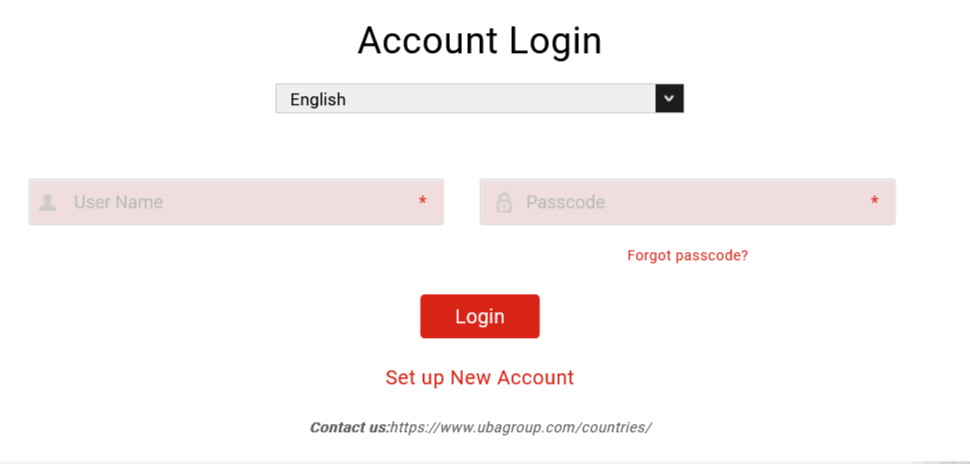
UBA-Bank-Prepaid-Online-portal

Step 2: Click on β€œSet up new account”.

uba dollar prepaid card activations portal

Step 3. Enter your client ID – the 10 digits at the back of your card. Also, your Web code – the 4 digits on the A4 paper attached to the card.
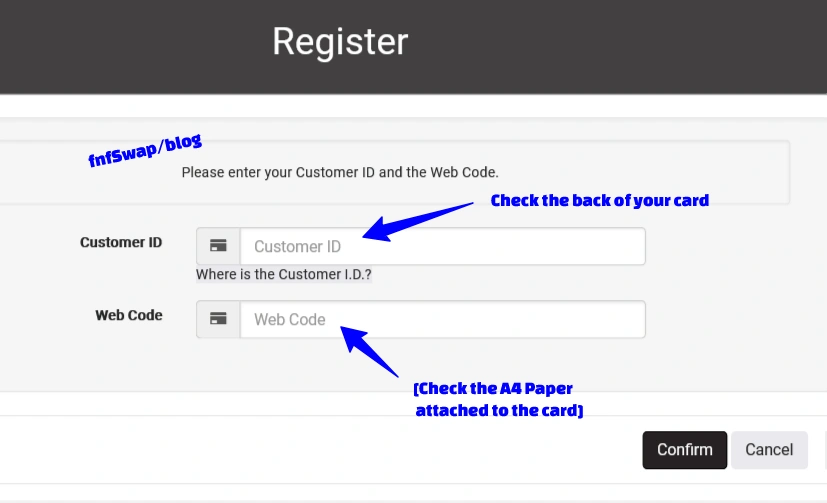
ezgif 7b7a639408305a68

Note: The first PIN is your ATM PIN (used for activation and ATM withdrawals).

The second is your Web/Online PIN (used for online transactions – creating an account on gtpsecurecard.com/UBA/ for card-to-card transfers) – use this particular code.
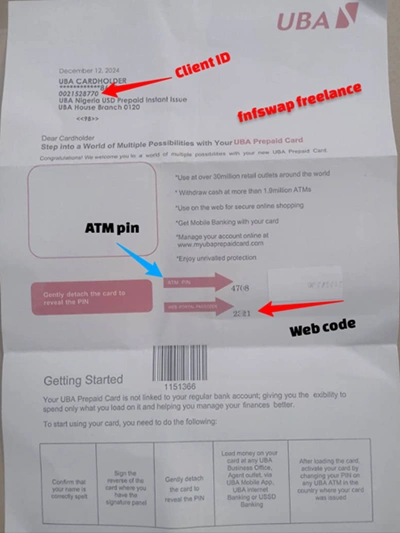
How to get UBA dollar prepaid card in Nigeria

Step 4: Create your login profile info

You will enter a passcode, phone number, email, and questions. Enter them accordingly. And for the passcode, this will be your own chosen password to log into the portal, not a code UBA gives you.
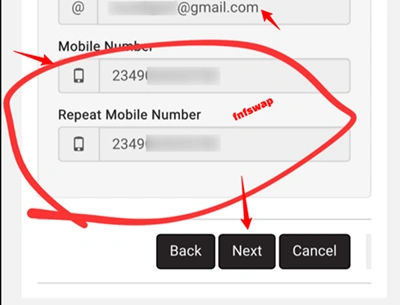
ezgif 7fd3a04bf4dc1779

Step 6: Login to Portal

Complete the validation process and log in with your new username and passcode.
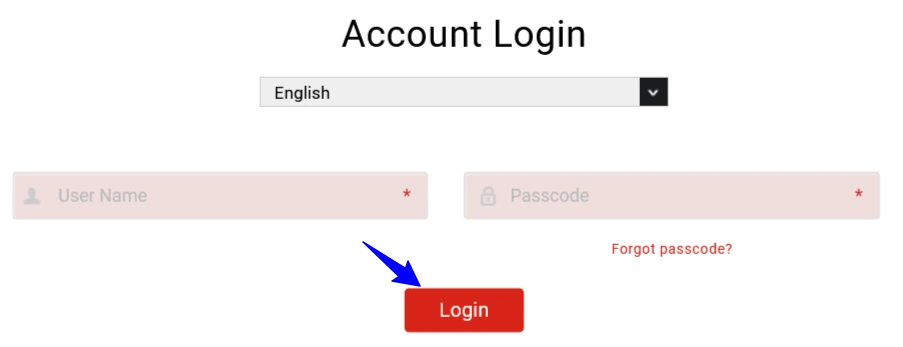
uba dollar prepaid card activation online

Once validated, you can use this portal to check your balance, download statements, and manage card settings.
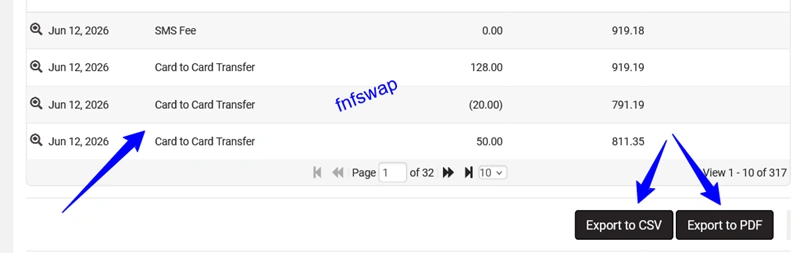
uba dollar prepaid card activation

My card isn’t dispensing at the ATM after I changed the PIN

You want to check that the card actually has a funded balance. Activation (PIN change) and funding are two separate steps. A card can be “activated” in terms of PIN, but still show zero balance if no money has been loaded yet.

Therefore, you need to load it for full operation.

I can’t find the username/passcode fields on the portal

These aren’t pre-assigned by UBA as you create them yourself during the online registration step.

If you’re confused at this stage, it usually means you’re looking for codes that don’t exist; just choose your own.

I forgot my password/username, and I can’t log in to the UBA portal

What to do is sit and think well. If it does not work, call UBA customer support, and they will sort it out. Or go to any UBA branch and request a new web code.

When issued, use it and create a new account to access the hold account.

My name is misspelled on the card

Don’t activate it. Go back to the issuing branch immediately to request a reprint, since a name mismatch can cause problems later when linking the card to PayPal or other services.

My Name is not on the Issued Prepaid card
Only personalized prepaid cards have name placeholders; otherwise, you are using the instant prepaid card if you can’t find your name.

There are no issues with this, as the card functions the same way – mostly if you are in Nigeria and not planning to use it on atm withdrawals abroad.

For linking to PayPal and withdrawing, it works nonetheless.

I activated it, but PayPal won’t link to the card

This is a separate process from activation. Linking to PayPal typically requires the card to be both activated and have a small verifiable balance, plus accurate billing information matching your card details.

If this keeps failing, it’s often due to other factors – this is how to troubleshoot it.

I traveled, and my card declined abroad

This usually isn’t an activation issue; it’s UBA’s fraud-prevention system.

If you’re traveling internationally (Dubai, US, UK, etc.), it is recommended that you notify UBA’s Customer Fulfilment Centre (CFC) before you travel.

Naira vs. Dollar Card Activation – Any Difference?

The PIN-change process at the ATM is the same for both Naira and Dollar prepaid cards. The difference comes in funding:

  • Naira Prepaid Card: Can be funded via UBA mobile app, internet banking, or USSD
  • Dollar Prepaid Card: Can only be funded by transferring from a UBA domiciliary (USD) account or by converting foreign currency/digital earnings into a card-compatible deposit β€” USSD and standard mobile app top-ups don’t apply here

This matters for activation because, as noted above, some ATMs expect a non-zero balance before the activation fully “sticks.”

πŸ“Œ More Lessons on AfriCards

Similar Posts