How To Link UBA Prepaid Card to PayPal Nigeria for Withdrawals to Bank 2026
First off. Can you still link UBA Africard to PayPal withdrawal? The answer is yes; you can if you do it correctly.
You see, after learning digital skills, searching for and applying for online gigs, and finally getting paid via PayPal, you shouldn’t suffer again when withdrawing your money for cash or selling at a lower rate, mostly through PayPal balance to vendors.
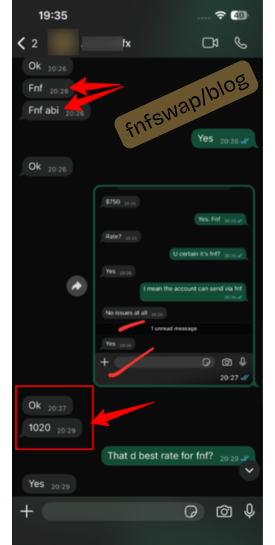
Why sell at NGN1,020 when you can equally do so at up to NGN1350/$+? 🤷
If you need a reliable way to withdraw or spend PayPal inflow, linking your UBA Dollar Prepaid Card to PayPal is one of the most practical solutions available to Nigerians right now.
I’ve personally linked the card to PayPal – I showed it in a video guide, I have helped clients, and today, I’ll walk you through exactly how to do it, what you need beforehand, how to fix the most common errors people run into, and finally, how to withdraw at the best rates – a practical guide with real-time screenshots.
Step-by-Step: Linking Your UBA Card to PayPal
Step 1: Activate and Fund Your Card First
Before attempting to link anything, make sure your card has already been activated (PIN changed at an ATM) and has at least a small balance.
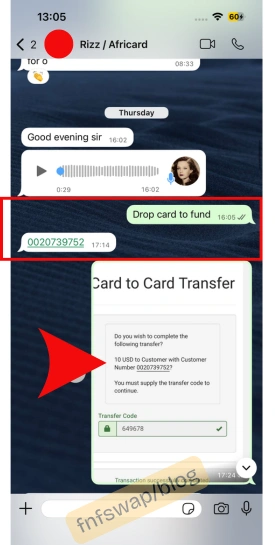
Want to fund your card? Here is how to do it.
Step 2: Log In to Your PayPal Account
Go to your PayPal dashboard and navigate to the Wallet section.
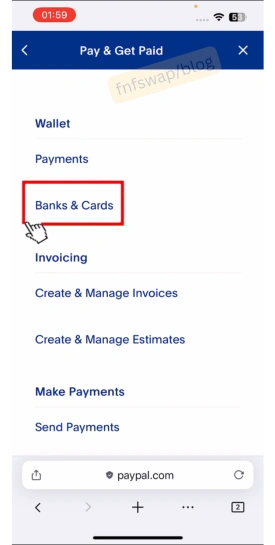
Step 3: Choose Link a Card
Select the option to add a new card. Enter your UBA card number, expiry date, and the 3-digit CVV from the back of the card.
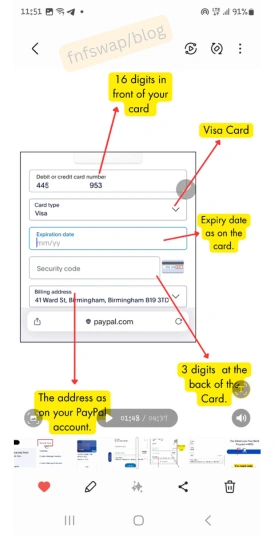
The Prompt will show that the card is linked.
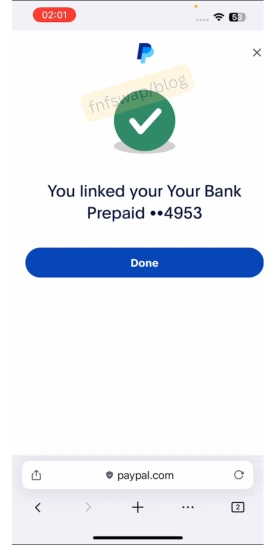
Step 4: Confirm the Linked Card
Click confirm card.
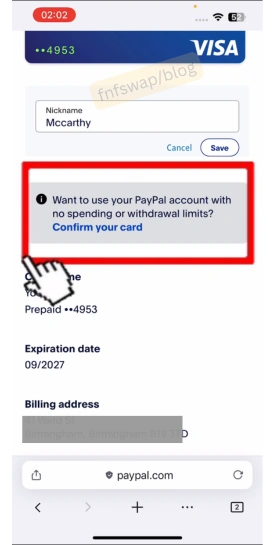
PayPal will attempt a small verification transaction on your card. This may show up as a temporary charge or hold.
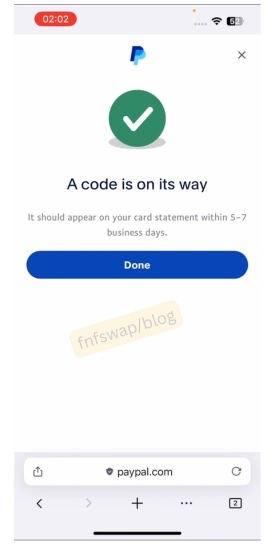
Step 5: Check for Your Verification Code
Within a short time, you should receive an SMS alert from UBA showing a transaction reference – often in a format like “PPXXXXCODE”. This code is what PayPal needs to confirm the card belongs to you.
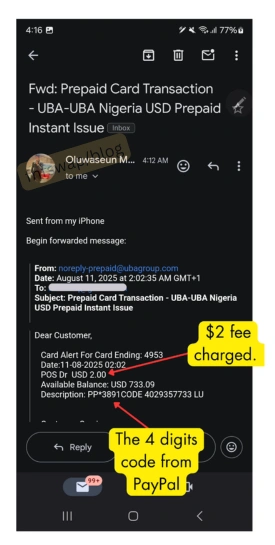
Step 6: Enter the Code on PayPal
On PayPal’s card verification page, enter the code from your SMS and submit.
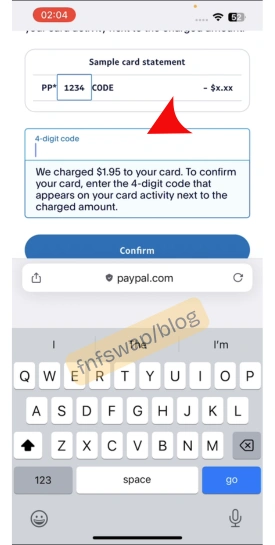
Step 7: Confirmation of Card Linked
Once verified, you will get a prompt that your Bank Prepaid has been confirmed.
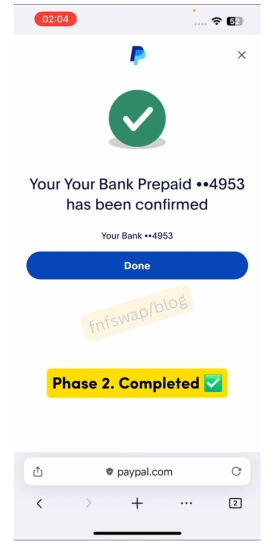
That is all. Now, you can withdraw from PayPal to the Card and to Naira.
How to Transfer Money from PayPal to Your Linked Card
Once linked successfully:
1. Hit Transfer Money
Log in to PayPal and go to Wallet > Transfer Money.
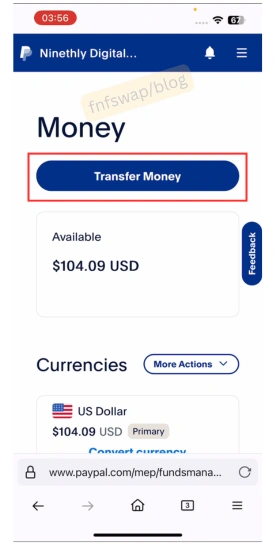
2. Enter the amount you want to transfer.
When you click “transfer money,” your card will appear. Enter the amount and continue.
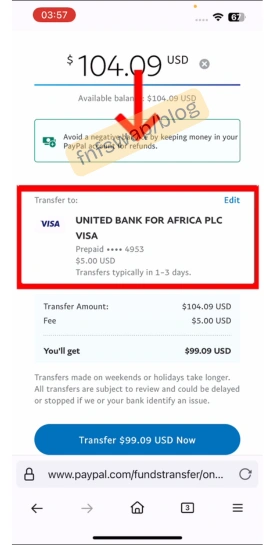
3. Confirm the transfer/transaction
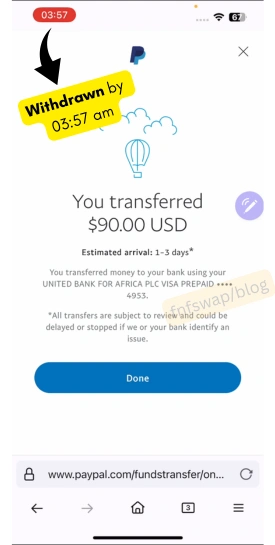
4. Receive the money in your UBA Dollar Prepaid Card
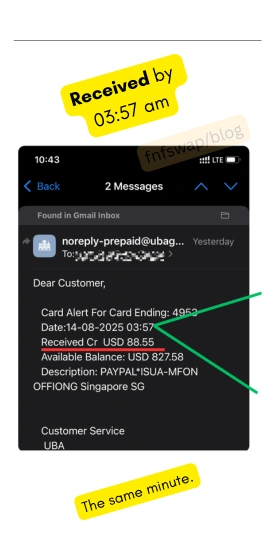
Transfers to the UBA Dollar prepaid card are instant, and so, it will reflect immediately on your card.
However, if you experience any delay, it MIGHT be because PayPal has placed the transaction under manual review for up to a few business minutes/hours/days, especially for larger amounts or newly linked cards.
I haven’t experienced the above before, so if you do, you know it is for manual review and nothing more.
What next? Get the money in your bank account.
How to Withdraw money from Prepaid to Naira Bank account
The only verified platform to sell/facilitate the conversion of UBA Dollar prepaid card funds to a bank at the highest market exchange rate in Nigeria is at fnfSwap freelance.
Many users have testified to it with multiple payments. Here is how to do it.
Step 1. Agree on the exchange rate
FnfSwap will relate the current exchange rate to you. If you are good, you proceed.
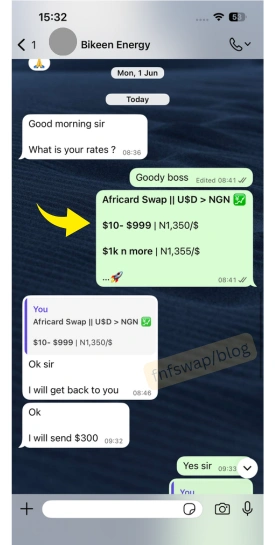
Step 2. Transfer prepaid card funds
- You need to log in to the UBA web portal account at –gtpsecurecard.com/UBA/.
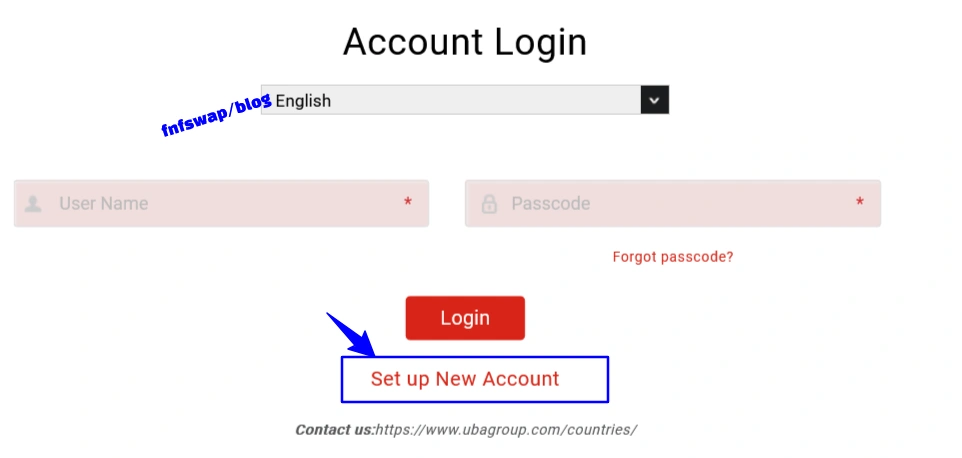
- Click card-to-card.
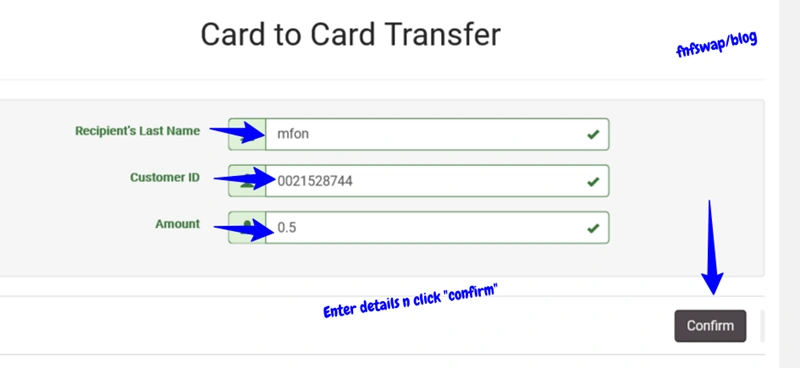
- Enter our card details [this will be provided], and make the transfer.
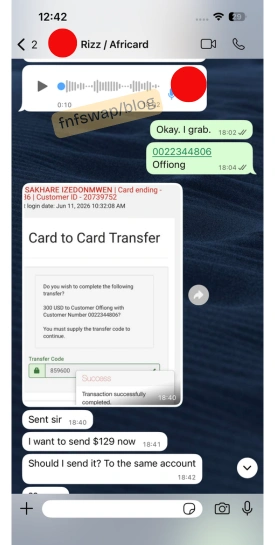
Step 3. Receive Naira to Bank
When we confirm the receipt of the transfer, kindly drop the screenshot]
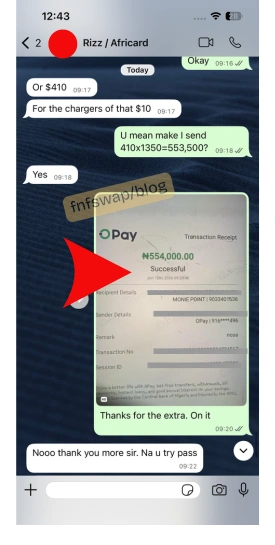 Payment will land in your Naira bank account in less than 5 minutes – let’s just say 1-15m minutes max.
That is all.
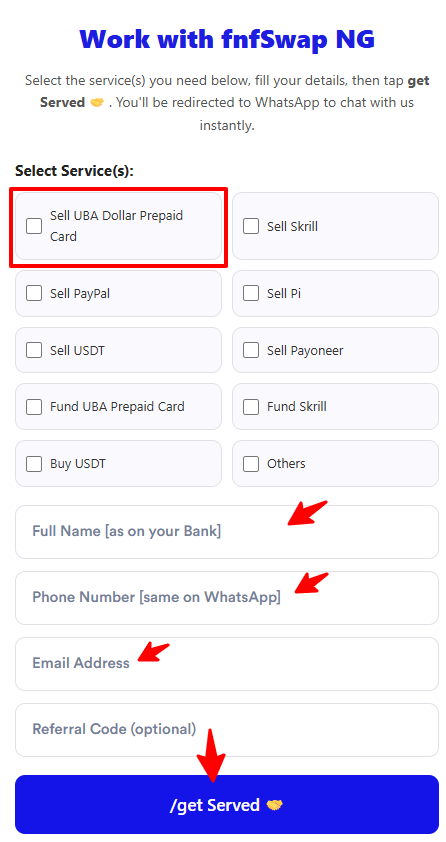
Want to withdraw your funds now?
Select “sell UBA Dollar Prepaid Card”, enter your details, and click “/get Served“.
UBA Dollar Card PayPal Linking Error
The most common error with linking a prepaid card to a PayPal account is “the card being declined”.
Let’s see why this happens and how to fix it.
Cause 1: The card isn’t funded
This is a major culprit.
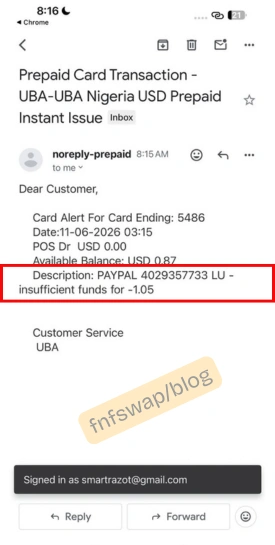
PayPal’s verification systems are more likely to approve cards that show an active balance and transaction history.
If your card is freshly issued and empty, fund it first, even a small amount, then retry linking after a few hours.
Cause 2: The card hasn’t been activated
If you skipped the ATM/POS PIN-change step, the card may still be in a “dormant” state from the bank’s side, even though it physically works. Activate it first.
Cause3: Using the Naira card for a Dollar-based PayPal account
If your PayPal account is set up to receive USD and you’re trying to link a Naira-denominated card, some transactions may fail due to a currency mismatch.
It is ALWAYS recommended that you use the Dollar AfriCard for USD PayPal accounts.
Cause 4: General bank-side restrictions
Occasionally, the issue isn’t your card setup at all – it’s a temporary restriction on UBA’s end related to international card usage flags.
If you’ve tried everything above and it still fails, contacting UBA’s Customer Fulfilment Centre (CFC) to confirm your card is enabled for international/online transactions can help.
Cause 5. Card Maintenance
While it might not be declined, the delivery code can be delayed. This is usually due to UBA maintenance.
A notice/secular is always sent out when on maintenance, so watch out for it.